

Adding funds to your wallet
Overview
Your CloudPe wallet is the prepaid balance your organization spends from. There is one wallet per organization, and every hourly usage tick for prepaid resources is debited from it automatically — this is the auto-debit behaviour behind compute, storage, network, Kubernetes, object storage and other metered resources. When the balance runs low you top it up from Billing & cost; if a top-up brings a negative balance back to zero or above, suspended VMs are queued for restore automatically.
Funds are added through the payment gateway — Razorpay for INR and Stripe for international currencies. A successful payment credits the wallet as a DIRECT credit bucket, and DIRECT credits never expire. When usage is debited, credits are consumed FIFO: expiring buckets first, then the oldest.
Before you start
- You need an organization with an initialized wallet, and you must be a member of that organization.
- Reading balances and transactions requires the
billing:readpermission; the Billing nav item is gated on it. - Some billing actions — including creating a virtual bank account for transfers — require
billing:manageor organization ownership. - A payment gateway connection must be configured for your account's currency. If it is not, the top-up flow fails with a gateway error (see Troubleshooting).
- Top-up amounts are subject to the minimum and maximum accepted by the payment gateway for your currency.
Steps
Open Billing from the sidebar. The page opens on the Overview tab, which shows the current wallet balance for the active organization.
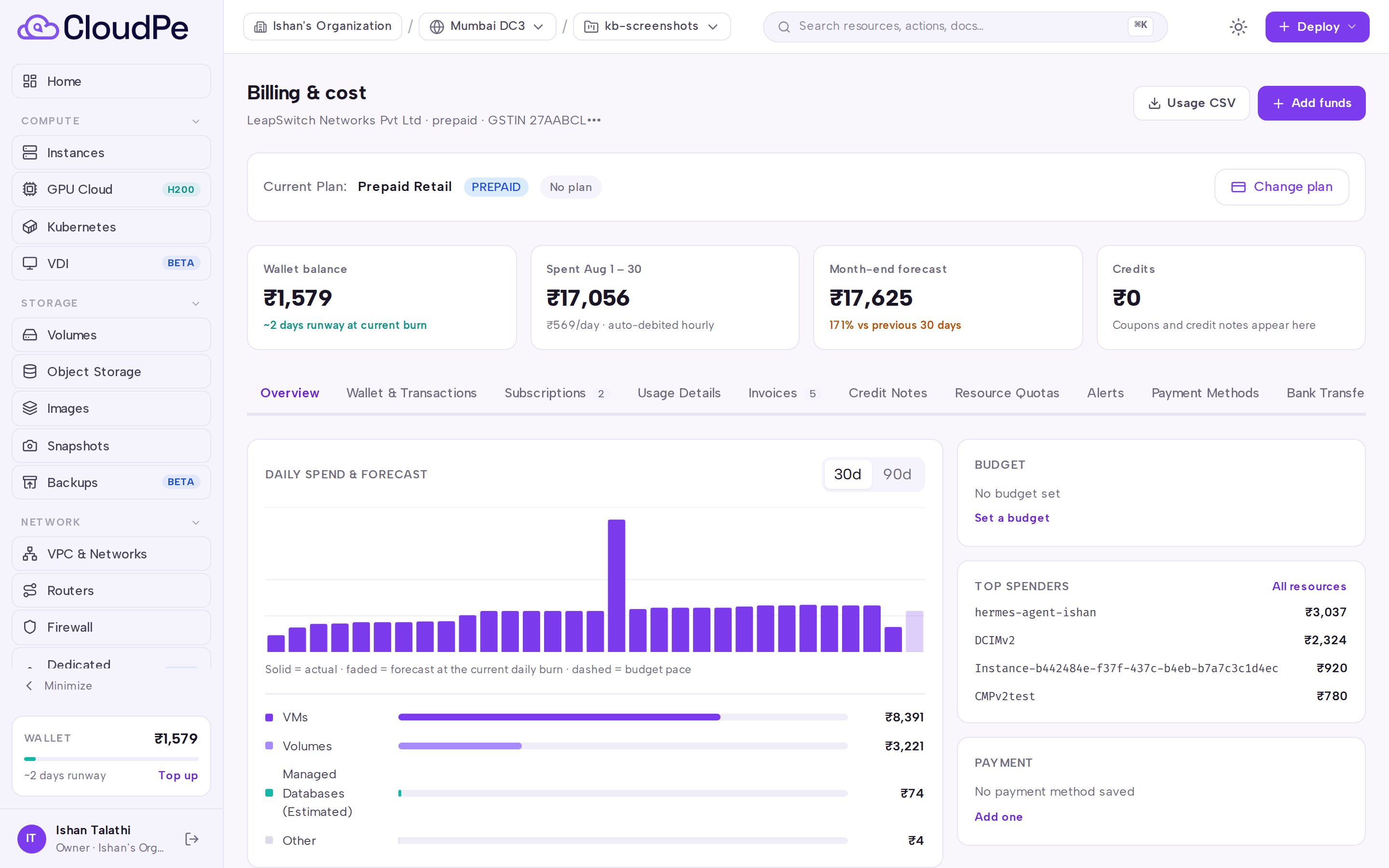
Click Add funds. The Add Funds to Wallet modal opens.
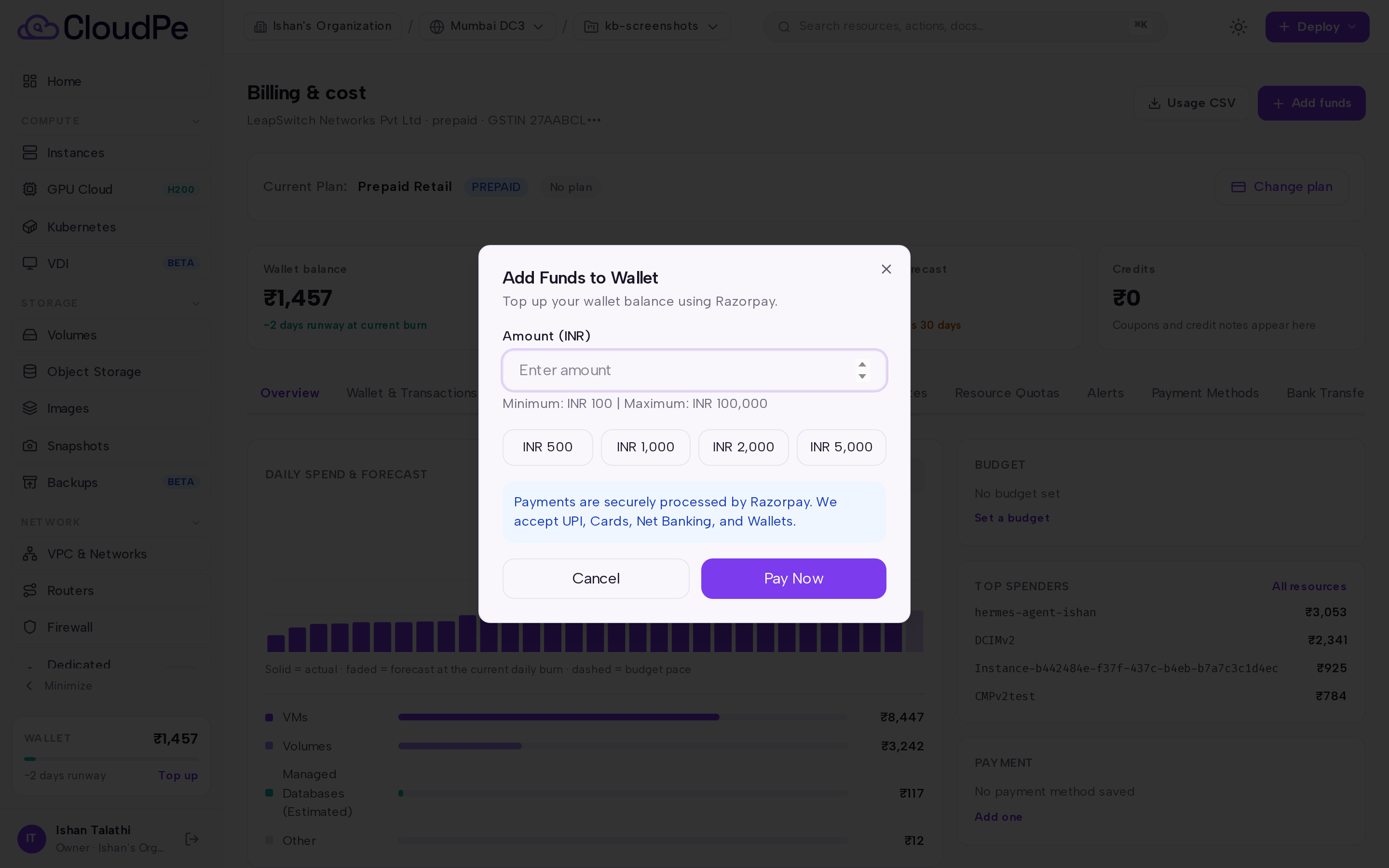
Enter the amount you want to add and continue to the gateway. For INR the Razorpay checkout opens; for international currencies the payment is confirmed through Stripe.
Complete the payment in the gateway window. Do not close the browser tab until the gateway returns — the payment is verified and the wallet credited only after the gateway confirms capture.
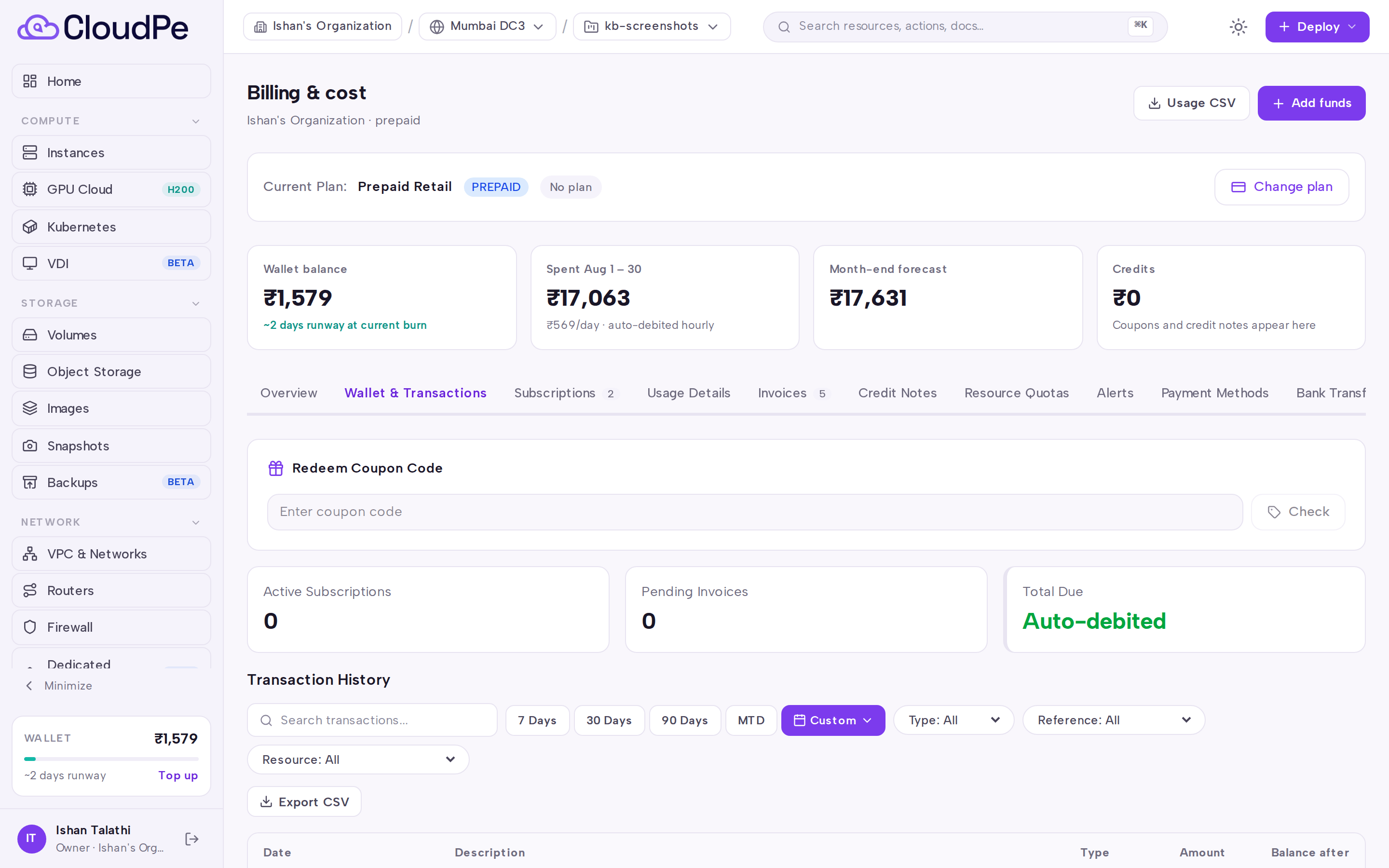
Open the Wallet & Transactions tab to confirm the credit. The top-up appears as a CREDIT ledger entry with the new balance, alongside the usage debits that the hourly billing tasks post.
If you prefer to pay by NEFT/RTGS/IMPS/UPI instead of a card, use Create Virtual Bank Account on the Bank Transfers tab — see the Smart Collect article linked below.
API
Wallet balance and ledger are readable from the public API. Top-ups themselves are completed through the gateway checkout in the dashboard.
Get the current wallet balance:
curl -X GET https://app.cloudpe.com/api/v1/billing/wallet \
  -H "Authorization: Bearer <API_KEY>"
List wallet transactions:
curl -X GET https://app.cloudpe.com/api/v1/billing/wallet/transactions \
  -H "Authorization: Bearer <API_KEY>"
Export the ledger as CSV:
curl -X GET https://app.cloudpe.com/api/v1/billing/wallet/transactions/export.csv \
  -H "Authorization: Bearer <API_KEY>"
Limits & billing
- One wallet per organization, in a single currency. A payment in a different currency from the wallet is rejected.
- Adding funds is not itself a charge — the amount lands in the wallet as a DIRECT credit bucket, which does not expire.
- Prepaid usage is debited hourly from the wallet by the billing tasks; each debit writes an immutable ledger row with the resource identity attached, so Wallet & Transactions always reconciles against the balance.
- When the balance falls low, a low-balance warning is emailed; if it goes far enough negative, resources are suspended. Topping up past zero triggers automatic restore of suspended VMs.
- Postpaid organizations are invoiced monthly rather than debited hourly; the wallet can still be used to settle an invoice (
walletorwallet_partialpayment method). - Gateway refunds reverse the specific credit bucket the original top-up created, not an arbitrary FIFO bucket.
Troubleshooting
| Error | Cause | Fix |
|---|---|---|
Direct wallet top-up is disabled. Please use the payment gateway (Razorpay) to add funds to your organization wallet. |
A direct balance write was attempted instead of a gateway payment. | Add funds using Add funds in the dashboard so the payment is captured and verified by the gateway. |
Payment gateway not configured |
No active gateway connection is available for your currency. | Contact support so a gateway connection can be configured for your account. |
Failed to create payment order |
The gateway rejected or could not create the order for this top-up. | Retry the top-up; if it keeps failing, raise a support ticket with the time of the attempt. |
You are not a member of this organization |
You are acting against an organization you do not belong to. | Switch to the correct active organization before opening Billing. |
You must be an organization owner to perform this action |
The action is restricted to the organization owner. | Ask an owner to perform it, or have them grant you a role with billing:manage. |
Permission denied: billing:read required |
Your role cannot read billing data. | Ask an organization owner to grant a role that includes billing:read. |
No organization wallet found |
The active organization has no wallet record. | Contact support so the organization wallet can be initialized. |
No wallet found |
The billing operation could not resolve a wallet for the request. | Confirm you are in the correct organization, then contact support if it persists. |
FAQ
Do topped-up funds expire? No. Money added through a gateway payment is stored as a DIRECT credit, which never expires. Promotional, referral and other granted credits may carry an expiry, and those are consumed before your DIRECT balance.
In what order are my credits spent? FIFO with expiry priority: soonest-expiring bucket first, then oldest first. That protects your paid balance from being spent ahead of credits that would otherwise lapse.
Can I pay an invoice from the wallet? Yes — an invoice can be settled fully or partially from the organization wallet. See the invoices article for the full flow.
My VMs were suspended for low balance. Do I have to restart them manually? No. When a top-up moves the balance from negative back to zero or above, a restore job is queued automatically for the affected VMs.
Can I add funds by bank transfer instead of a card? Yes, using a Razorpay virtual bank account created from the Bank Transfers tab.
Where can I see what the wallet was spent on? The Wallet & Transactions tab lists every debit with the resource it belongs to; Usage Details and Usage CSV break the same spend down by resource.