

Snapshots and backups
Overview
CloudPe gives you two ways to protect the data on a block storage volume:
- Snapshots — manual, point-in-time copies of a volume, kept on the same storage system as the volume itself. They are fast to take and fast to restore, and they are the right tool for a quick rollback point before a risky change. Snapshots are manual only; there is no snapshot scheduler.
- Backups — recovery points written to external storage for disaster recovery. Backups are driven by a backup plan, which associates one or more volumes with a schedule and a retention setting, and can also be triggered on demand.
Snapshots live under Snapshots in the STORAGE section of the sidebar; backups live under Backups in the same section.
Backups are a beta feature. The Backups page is marked accordingly in the sidebar, and the backup service must be deployed in the region your volumes live in.
Before you start
- Your account must be through KYC and your organization must have an active project selected — snapshots, backup plans and recovery points are all scoped to a single project.
- You need a volume that has finished provisioning. A volume that is still being created cannot be snapshotted or backed up.
- Permissions:
snapshots:readto open Snapshots,snapshots:createto take one,snapshots:deleteto remove one, andvolumes:updateto restore a volume from a snapshot.backup_plans:readto open Backups,backup_plans:createandbackup_plans:updateto create and manage plans, andbackups:create,backups:restore,backups:deletefor recovery points.
- Snapshots and backups both consume storage quota. If your project is at its limit, creation is refused.
- All volumes in a backup plan must be in the same region as the plan, and a restore target volume must be in the same region as the backup.
Steps
Take a snapshot of a volume
Open Snapshots in the STORAGE section of the sidebar. The Snapshots page lists every snapshot in the current project with its source volume and status.
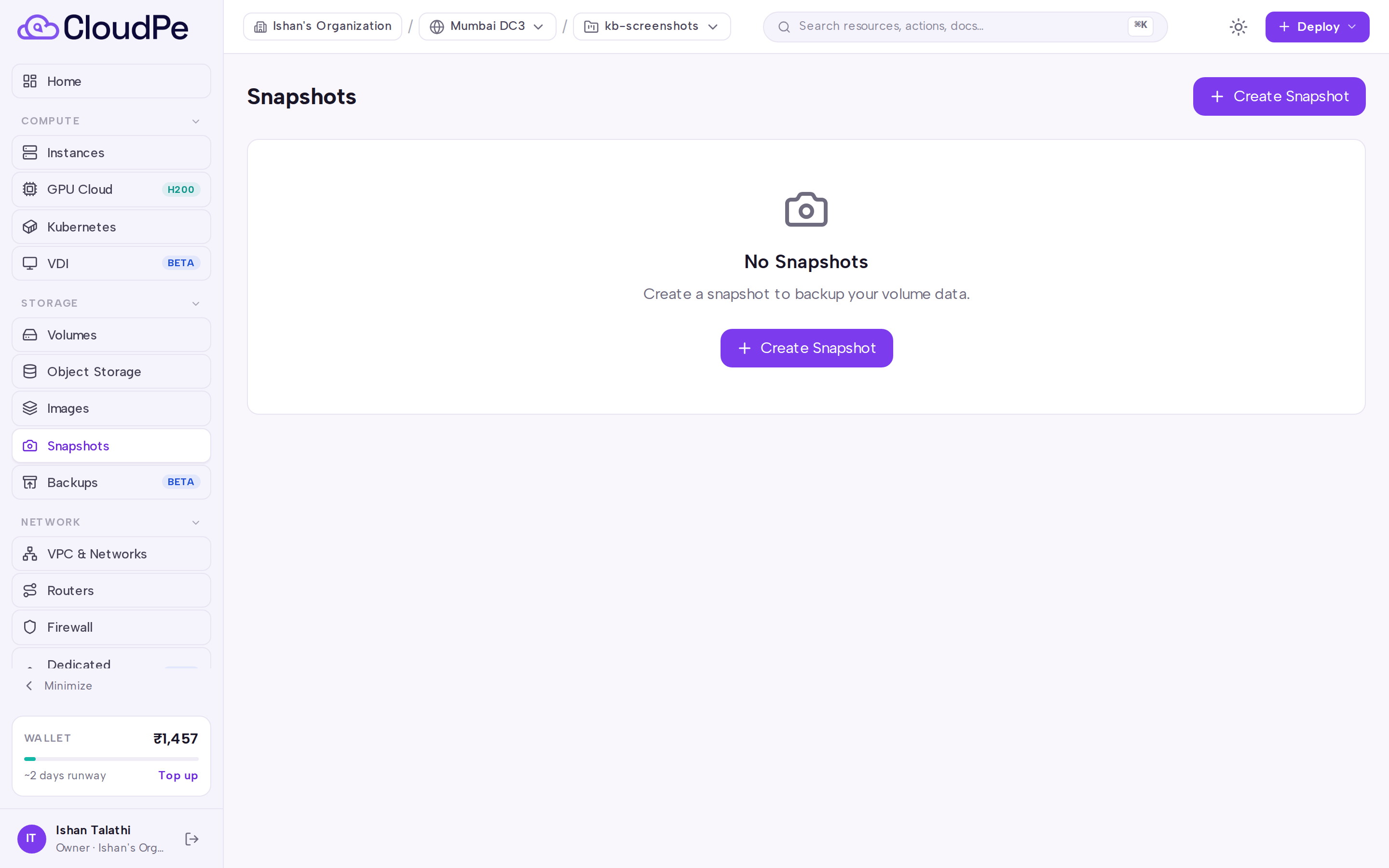
Click Create Snapshot.
In the Create Volume Snapshot dialog, choose the source volume and give the snapshot a name that will still make sense when you need it.
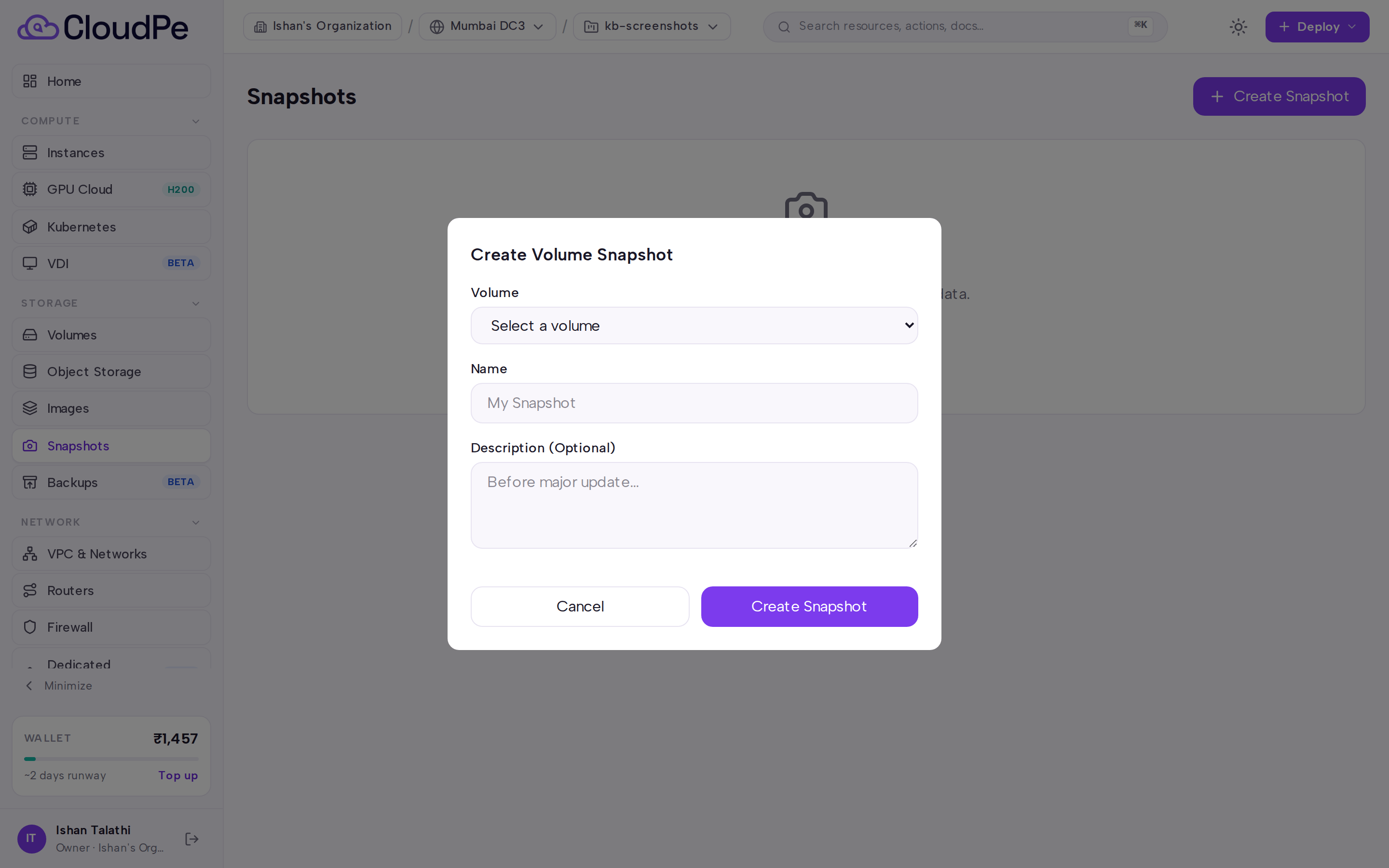
Confirm. The snapshot appears in the list and becomes usable once it finishes provisioning.
Restore or reuse a snapshot
From the snapshot's row you can:
- Revert the original volume to the snapshot. Detach the volume from its instance first — reverting an attached volume is refused.
- Create a new volume from the snapshot. This is the path to use when the original volume has already been deleted.
- Convert the snapshot into a custom image, which then appears on the Images page.
Create a backup plan
Open Backups in the STORAGE section. The Volume Backups page has two tabs: Backup Plans and Recovery Points.
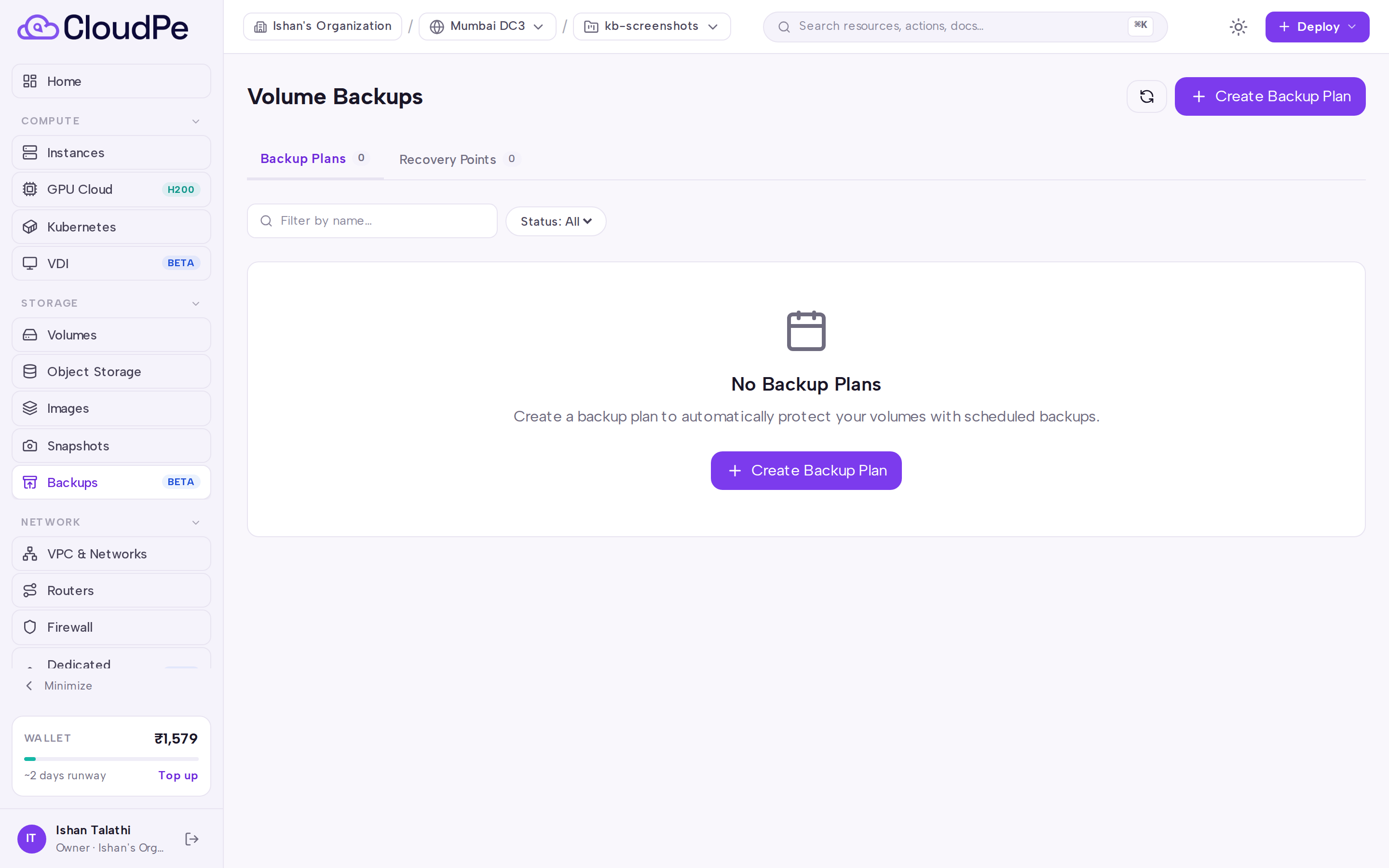
On the Backup Plans tab, click Create Backup Plan.
Give the plan a name, pick the region, set the schedule and retention, and configure failure notifications.
Add the volumes the plan should protect. Every volume you add must belong to the current project and to the plan's region.
Save the plan. It starts running on its schedule; you can also run it immediately from the plan's actions, pause and resume it, or edit its name, schedule, retention and notifications later.
Use Refresh to pull the latest plan and backup status from the platform.
Work with recovery points
Switch to the Recovery Points tab to see the individual backups produced by your plans. From here you can create a manual backup of a volume, restore a backup into a new volume, and delete backups you no longer need. A restored volume is created immediately and becomes available once provisioning completes.
API
All calls use the same base host and a bearer token.
List snapshots:
curl https://app.cloudpe.com/api/v1/snapshots \
  -H "Authorization: Bearer <API_KEY>"
Create a snapshot:
curl -X POST https://app.cloudpe.com/api/v1/snapshots \
  -H "Authorization: Bearer <API_KEY>" \
  -H "Content-Type: application/json" \
  -d '{"volume_id":"<volume-id>","name":"daily-snap"}'
Other snapshot operations:
| Method | Path | Permission |
|---|---|---|
| GET | /api/v1/snapshots/{snapshot_id} |
snapshots:read |
| DELETE | /api/v1/snapshots/{snapshot_id} |
snapshots:delete |
| POST | /api/v1/snapshots/{snapshot_id}/restore |
volumes:update |
| POST | /api/v1/snapshots/{snapshot_id}/to-image |
snapshots:read |
Backup plans:
| Method | Path | Permission |
|---|---|---|
| GET | /api/v1/backups/plans |
backup_plans:read |
| POST | /api/v1/backups/plans |
backup_plans:create |
| GET | /api/v1/backups/plans/{plan_id} |
backup_plans:read |
| PATCH | /api/v1/backups/plans/{plan_id} |
backup_plans:update |
| DELETE | /api/v1/backups/plans/{plan_id} |
backup_plans:delete |
| POST | /api/v1/backups/plans/{plan_id}/volumes |
backup_plans:update |
| DELETE | /api/v1/backups/plans/{plan_id}/volumes |
backup_plans:update |
| POST | /api/v1/backups/plans/{plan_id}/trigger |
backup_plans:update |
Recovery points:
| Method | Path | Permission |
|---|---|---|
| GET | /api/v1/backups/ |
backups:read |
| POST | /api/v1/backups/ |
backups:create |
| GET | /api/v1/backups/{backup_id} |
backups:read |
| DELETE | /api/v1/backups/{backup_id} |
backups:delete |
| POST | /api/v1/backups/{backup_id}/restore |
backups:restore |
Run a plan on demand:
curl -X POST https://app.cloudpe.com/api/v1/backups/plans/<plan-id>/trigger \
  -H "Authorization: Bearer <API_KEY>"
Limits & billing
- Snapshots and backups are metered as storage, by size over time, and are billed continuously for as long as they exist — not only while they are being used. Deleting snapshots and expired recovery points is the direct way to reduce the bill.
- A volume restored from a snapshot or a backup is a new volume and starts its own storage meter as soon as it is created, even while it is still provisioning.
- Snapshot and backup creation both count against your project's storage quota; requests that would exceed it are rejected with a quota error.
- Backup retention is configured per plan, and each plan applies its retention to the recovery points it produces.
Troubleshooting
| Message | What it means and what to do |
|---|---|
Detach volume before reverting to snapshot |
The volume is still attached to an instance. Detach it, then retry the revert. |
Cannot restore: original volume has been deleted. Create a new volume from this snapshot instead. |
The revert path needs the original volume. Use the snapshot to create a new volume instead. |
Snapshot not yet provisioned |
The snapshot is still being created. Wait for it to finish, then retry. |
Snapshot is not available for restore |
The snapshot is not in a restorable state. Check its status on the Snapshots page. |
Volume not yet provisioned |
The source volume has not finished being created. Wait for it to become available. |
Snapshot is being created. Use force=true to delete anyway. |
A delete was issued against an in-flight snapshot. Wait for it to complete, or force the delete. |
An image named '{…}' is already being created in this project. Check the Custom Images page for progress. |
A snapshot-to-image conversion with that name is already running. Wait for it, or choose another name. |
Backup service is not available in region {…}. It may not be deployed in this region — please try another region or contact support. |
Backups are not offered in that region yet. Use a region where the service is deployed, or raise a support ticket. |
Backup plan has no associated volumes |
Add at least one volume to the plan before running it. |
Volume {…} is in a different region than the backup plan |
Plans only cover volumes in their own region. Create a separate plan in the volume's region. |
Target volume must be in the same region as the backup |
Pick a restore target in the backup's region. |
Volume does not belong to this project |
Switch to the project that owns the volume, or use a volume from the current project. |
Cannot trigger a backup plan in ERROR state |
Fix the plan's configuration — most often its volume associations — before running it again. |
Cannot delete backup with dependent incremental backups. Delete dependent backups first. |
Later recovery points depend on this one. Delete the dependents first, then this backup. |
Quota exceeded: {…} |
The project has no remaining storage quota. Delete snapshots or recovery points you no longer need, or request more quota. |
Backup plan not found / Backup not found / Snapshot not found / Volume not found |
The resource was deleted, or you are looking at a different project. Refresh the list and confirm the project. |
Infrastructure error: {…} |
A transient platform error. Retry; if it persists, open a support ticket with the message. |
FAQ
What's the difference between a snapshot and a backup? A snapshot sits on the same storage system as its source volume, which makes it quick to take and quick to restore but tied to that storage. A backup is written to external storage, which is what makes it useful for disaster recovery.
Can I schedule snapshots? No. Snapshots are manual only. Use a backup plan on the Backups page for scheduled data protection.
Do I have to stop my instance to take a snapshot? No, but a revert to snapshot requires the volume to be detached first.
Can one backup plan cover volumes in several regions? No. A plan and all of its volumes must be in the same region. Create one plan per region.
Can I turn a snapshot into a reusable image? Yes — convert it to a custom image, then track its progress on the Images page.