

S3-compatible object storage
Overview
CloudPe Object Storage is an S3-compatible service for storing and serving unstructured data — backups, logs, media, build artefacts — without provisioning a disk or a server. Buckets live in a specific region, and you work with them either from the CloudPe dashboard or from any S3 tool (AWS CLI, boto3, s3cmd) using an access key pair.
Two things are worth understanding before you start:
- Buckets are region-scoped: a bucket belongs to the region you create it in, and its name must be unique within that region.
- You do not need an access key to use the dashboard. Browsing, uploading and downloading through Object Storage in the console is signed by the platform on your behalf. Access keys are only needed for direct S3 SDK or CLI integrations.
Bucket names must be DNS-compliant: lowercase letters, digits and hyphens, starting and ending with a letter or digit.
Before you start
- Your organization must have object storage enabled and a storage quota allocated. Uploads are checked against the remaining quota before the transfer starts.
- You need a region where object storage is enabled and granted to your organization's group. Only fully configured, entitled regions appear in the region picker.
- Permissions, from your assigned role:
object_storage:read— view buckets, objects, access keys and usageobject_storage:create— create buckets, folders and uploadsobject_storage:update— change bucket public accessobject_storage:delete— delete objects and bucketsobject_storage:manage— create, rotate and revoke S3 access keys
Steps
Create a bucket
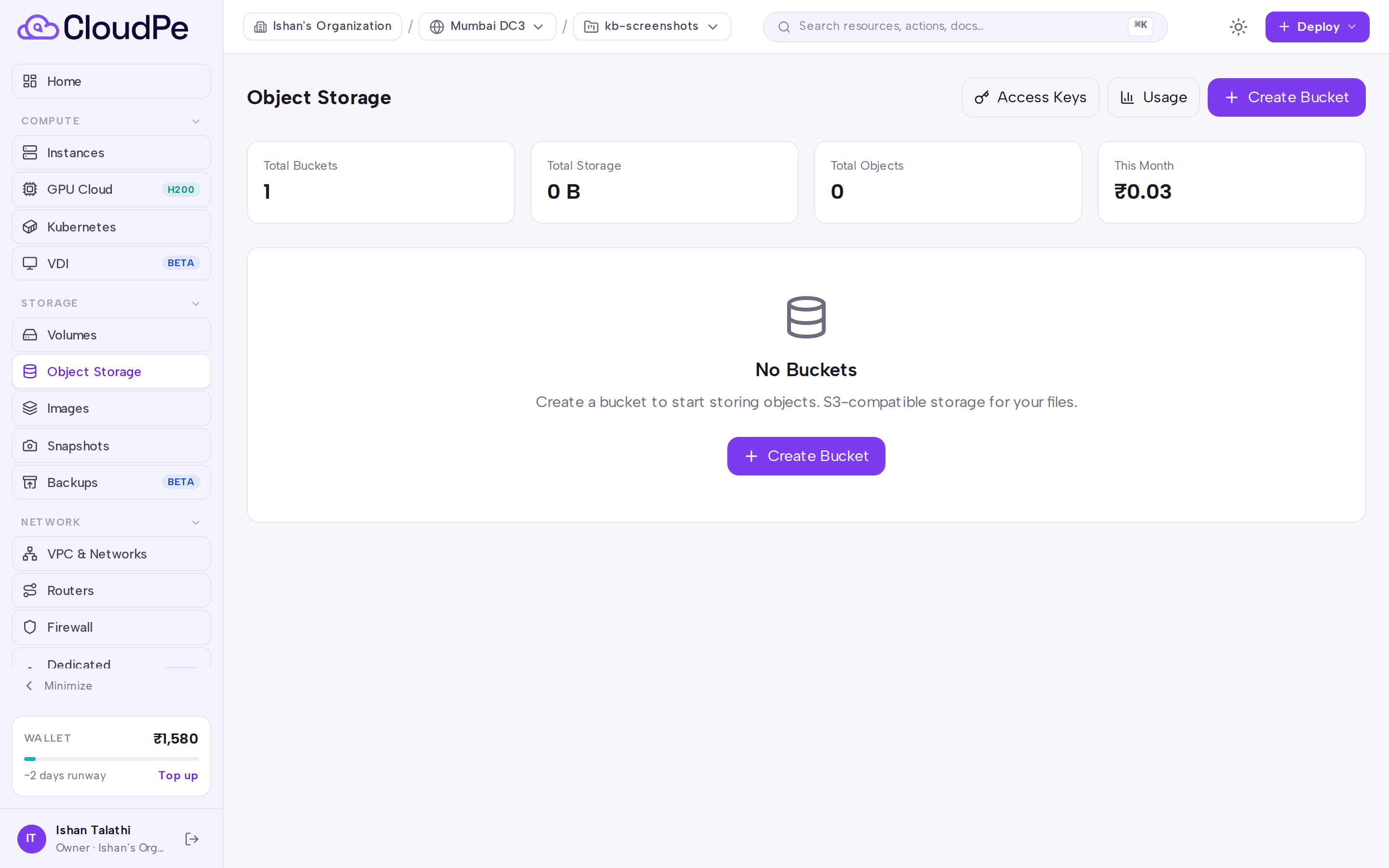
- Open Object Storage from the sidebar.
- Select Create Bucket.
- Enter a bucket name (lowercase letters, digits and hyphens; it must start and end with a letter or digit) and choose a region.
- Leave public read access off unless the bucket's contents are intended to be world-readable; you can change this later from the bucket's settings.
- Confirm. The bucket appears in the list once it settles into an active state.
Upload and organise objects
Open a bucket from the list to browse its contents. From there you can create folders, upload objects, download them, and delete individual objects or a selection. All of these operations are signed by CloudPe — no access key needed.
Create an S3 access key
Use an access key when you want to reach the bucket from the AWS CLI, an SDK, a backup agent or any other external S3 client.
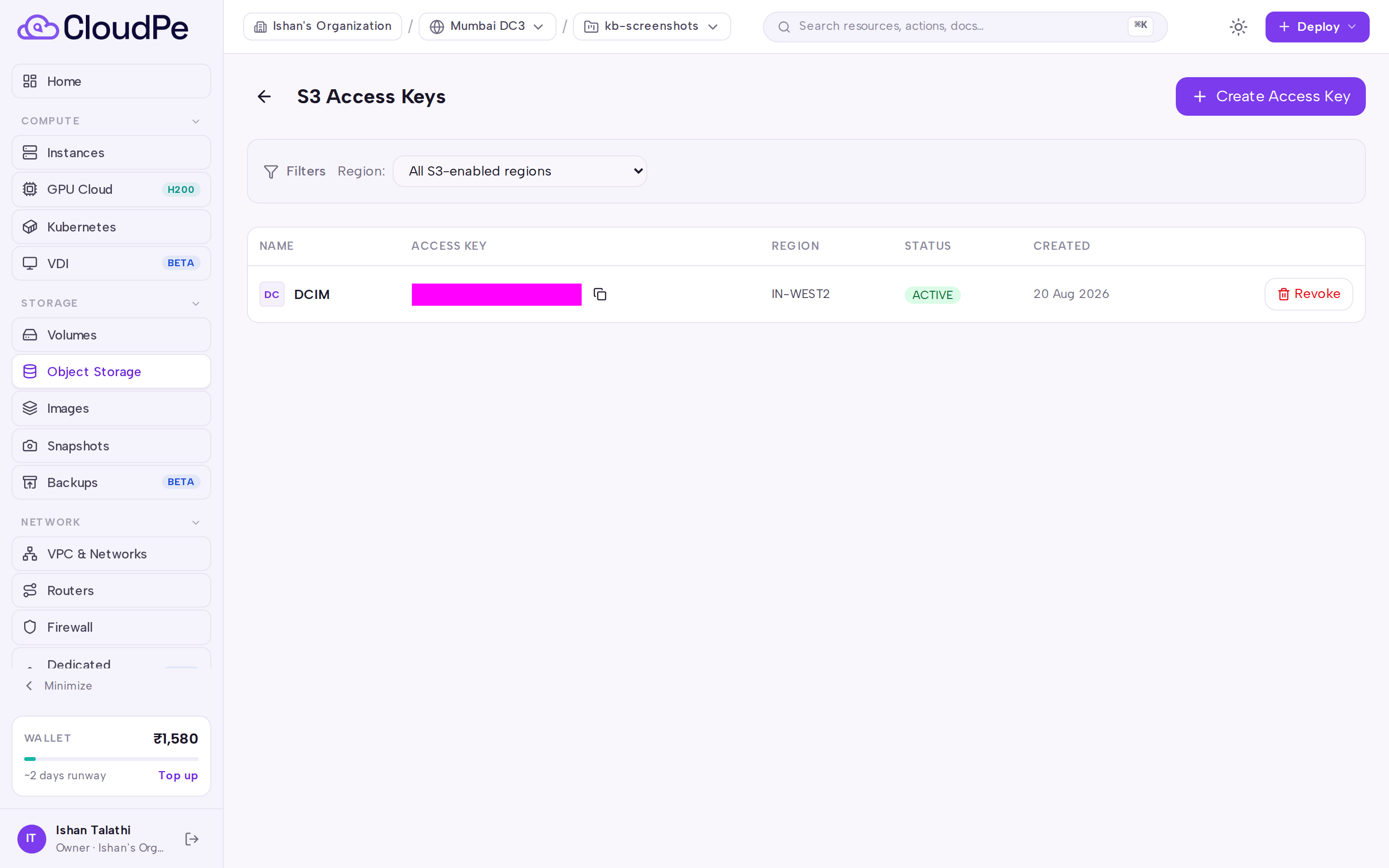
- Open Object Storage, then Access Keys.
- Select Create Access Key, choose the region, and optionally give the key a friendly name.
- Copy the secret immediately — it is shown once. Store it in your secrets manager.
Each organization can hold one customer-visible access key per region. To replace a key, use rotate: it revokes the old key and mints a replacement in a single step. There is no way to run two customer keys side by side in the same region, so update your integrations promptly after rotating.
Review usage
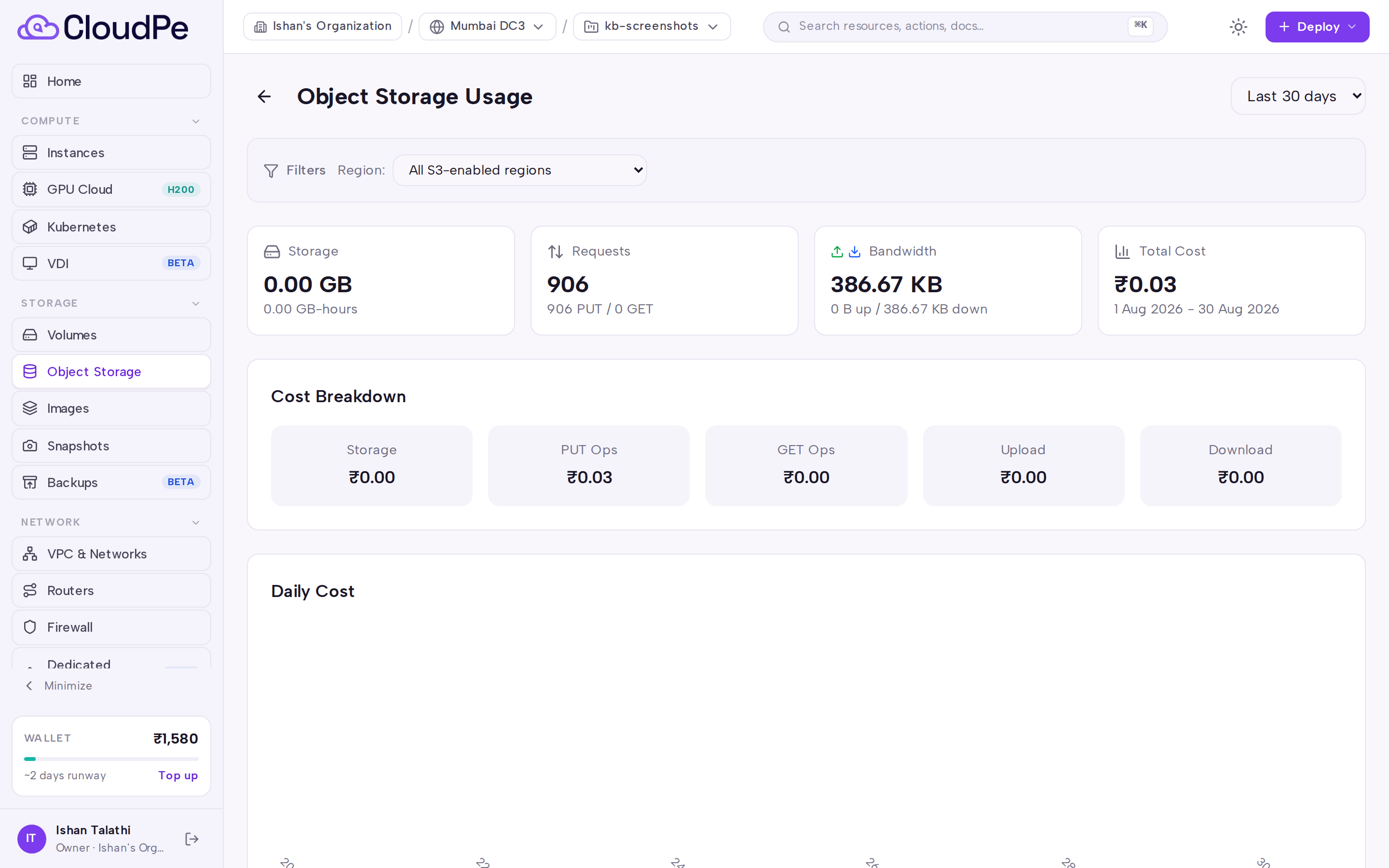
Open Object Storage, then Usage to see Cost Breakdown, Daily Cost and Usage by Region for your object storage consumption.
API
All calls use a bearer token. Replace <API_KEY>, <bucket_id> and <region_id> with your own values.
List the regions where object storage is available to you:
curl https://app.cloudpe.com/api/v1/object-storage/regions \
  -H "Authorization: Bearer <API_KEY>"
Create a bucket:
curl -X POST https://app.cloudpe.com/api/v1/object-storage/buckets \
  -H "Authorization: Bearer <API_KEY>" \
  -H "Content-Type: application/json" \
  -d '{
    "name": "logs-prod",
    "region_id": "<region_id>",
    "public_access": false
  }'
Other bucket and object operations:
GET /api/v1/object-storage/buckets— list bucketsGET /api/v1/object-storage/buckets/{bucket_id}— get one bucketPUT /api/v1/object-storage/buckets/{bucket_id}— updatepublic_accessDELETE /api/v1/object-storage/buckets/{bucket_id}— delete a bucketGET /api/v1/object-storage/buckets/{bucket_id}/objects— list objectsPOST /api/v1/object-storage/buckets/{bucket_id}/folders— create a folder (body:name, optionalprefix)POST /api/v1/object-storage/buckets/{bucket_id}/presigned-upload— get a presigned upload URLGET /api/v1/object-storage/buckets/{bucket_id}/objects/{key}/download-url— get a presigned download URLDELETE /api/v1/object-storage/buckets/{bucket_id}/objects/{key}— delete one objectPOST /api/v1/object-storage/buckets/{bucket_id}/objects/delete— delete several objects (body:keys)
Access keys:
curl -X POST https://app.cloudpe.com/api/v1/object-storage/credentials \
  -H "Authorization: Bearer <API_KEY>" \
  -H "Content-Type: application/json" \
  -d '{
    "name": "backup-agent",
    "region_id": "<region_id>"
  }'
GET /api/v1/object-storage/credentials— list access keysPOST /api/v1/object-storage/credentials/{credential_id}/rotate— rotate a keyDELETE /api/v1/object-storage/credentials/{credential_id}— revoke a key
Usage:
GET /api/v1/object-storage/usage— usage summaryGET /api/v1/object-storage/usage/chart— usage over timeGET /api/v1/object-storage/overview— organization-wide totals
Limits & billing
- Storage consumption is metered per bucket, per hour, and priced per region.
- Billable metrics are storage, PUT requests, GET requests, uploaded bytes and downloaded bytes; each is priced independently. See the Usage page for the Cost Breakdown applied to your organization.
- Your organization has an object storage quota. When a presigned upload would push you past it, the request is rejected before the transfer begins — the declared upload size must match what you actually send.
- One customer-visible access key is allowed per organization per region; rotate to replace it.
Troubleshooting
| Error | What it means | What to do |
|---|---|---|
Object storage is not enabled for this region |
The region you selected does not offer object storage, or it is not granted to your organization. | Pick a region returned by the region list on the create form. |
Region not found |
The region_id in the request does not match a region available to you. |
Re-fetch the region list and use an ID from it. |
Bucket not found |
The bucket ID is wrong, the bucket was deleted, or it belongs to another organization. | List your buckets and retry with the correct ID. |
Bucket is {…}, not ACTIVE — this operation is unavailable until it settles |
The bucket is still being created or is being deleted. | Wait for the bucket to reach the active state, then retry. |
Object storage not available for this bucket's region |
The bucket's region is no longer serving object storage. | Contact support before making further changes to that bucket. |
Quota exceeded: {…} ({…}/{…}) |
The upload would exceed your organization's storage quota. | Delete unneeded objects or request a quota increase. |
Credential is already revoked |
You tried to revoke or rotate a key that is no longer active. | Create a new access key instead. |
Credential not found |
The credential ID does not belong to your organization. | List credentials and retry with a current ID. |
Access key not found |
The access key referenced in the request no longer exists. | Create a fresh key from Access Keys and update your client. |
Object storage service temporarily unavailable |
The storage backend did not respond. | Retry shortly; if it persists, raise a support ticket. |
Object storage provider rejected the platform credentials |
A platform-side credential problem, not something you can fix. | Raise a support ticket with the time of the failure. |
FAQ
Do I need an access key to upload files from the dashboard? No. Dashboard operations — listing, folders, uploads, downloads, deletes — are signed by CloudPe. Create an access key only for external S3 clients.
Can I keep two access keys active in one region while I migrate? No. One customer-visible key is active per organization per region. Rotation revokes the old key and issues a new one in the same step, so schedule the switchover.
I lost my secret key. Can I retrieve it? No. The secret is shown once at creation. Rotate the key to get a new pair, then update every client that used the old one.
Can consecutive hyphens appear in a bucket name? Yes, as long as the name is lowercase, uses only letters, digits and hyphens, and starts and ends with a letter or digit.
Can I move a bucket to another region? No. A bucket is bound to the region it was created in. Create a bucket in the target region and copy the objects across.
What happens if my organization's object storage is suspended? Both reads and writes are blocked, and existing access keys are revoked. When the account is reactivated a new key pair is issued — the old secret cannot be restored, so you must fetch the new one from Access Keys and update your integrations.