

Database users and databases
Overview
Every managed database cluster on CloudPe hosts two things you manage separately: Databases (the logical databases inside the cluster) and Database Users (the accounts that connect to them). This article covers creating and removing both from the cluster detail page, and the equivalent API calls.
Managed Databases is in beta. The Users and Databases tabs appear on the detail page of any running cluster, whichever engine it runs.
Before you start
- You need a running cluster. If you have not created one yet, start with PostgreSQL clusters.
- Viewing users and databases requires the
databases:readpermission. Creating a user or a database requiresdatabases:update. Deleting either requiresdatabases:delete. - Your account must belong to an organization — DBaaS endpoints authorise against the cluster's organization, so a user with no organization cannot list or manage cluster contents.
- Decide the username, password and, for MongoDB, the roles you want to grant before you open the dialog: passwords are set at creation time.
Steps
Create a database user
- Open Databases in the sidebar and select your cluster to reach Cluster Details.
- Open the Users tab.
- Click Add User.
- Enter a username. Usernames must start with a letter or underscore and may contain only letters, digits and underscores.
- Enter a password.
- Grant access: either mark the user as an admin, or scope it to specific databases and privileges. For MongoDB clusters, supply the MongoDB roles instead — they are required for that engine.
- Save. The new account appears in the Database Users list.
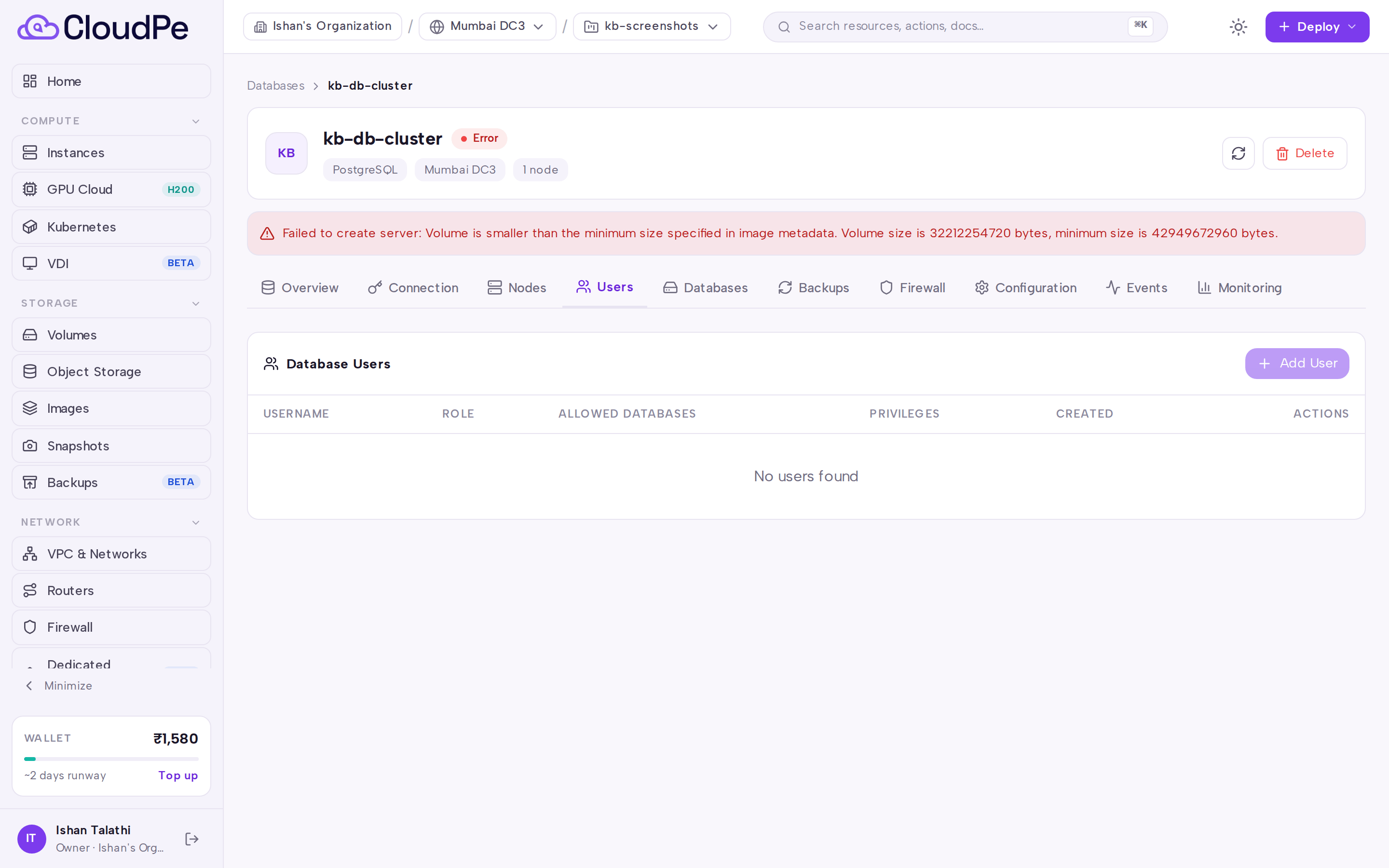
To remove an account, find it in the Database Users list and delete it. The account is dropped in the engine, so any application still using those credentials will fail to authenticate.
Create a logical database
- On the same cluster, open the Databases tab.
- Click Create Database.
- Enter a name. Names must start with a letter or underscore and may contain only letters, digits and underscores.
- Optionally set a character set and a collation. Leave them blank to use the engine defaults.
- Save. The database appears under the Databases heading.
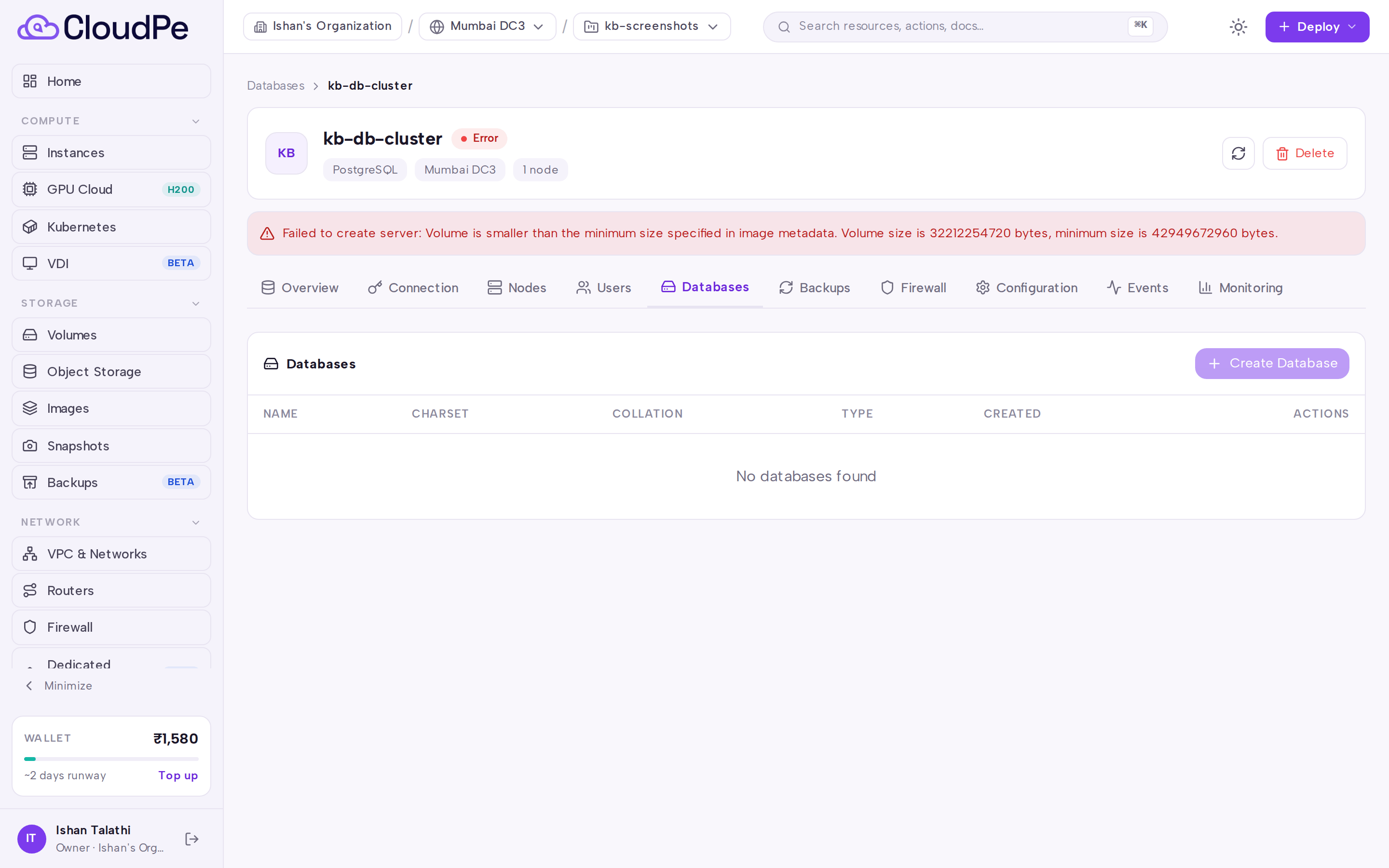
Deleting a database from this tab drops it in the engine along with its contents. Take a backup from the Backups tab first if you may need the data again.
Connect with the new credentials
Use the Connection tab for the cluster's host, port and connection string, then substitute the username, password and database name you just created.
API
All calls below are org-scoped and use a Bearer API key.
List the databases in a cluster:
curl -X GET https://app.cloudpe.com/api/v1/databases/<cluster_id>/dbs \
  -H "Authorization: Bearer <API_KEY>"
Create a logical database (GET /api/v1/databases/{cluster_id}/dbs for the result):
curl -X POST https://app.cloudpe.com/api/v1/databases/<cluster_id>/dbs \
  -H "Authorization: Bearer <API_KEY>" \
  -H "Content-Type: application/json" \
  -d '{
    "name": "app_data",
    "charset": "utf8mb4",
    "collation": "utf8mb4_general_ci"
  }'
Delete a logical database:
curl -X DELETE https://app.cloudpe.com/api/v1/databases/<cluster_id>/dbs/<db_id> \
  -H "Authorization: Bearer <API_KEY>"
List database users:
curl -X GET https://app.cloudpe.com/api/v1/databases/<cluster_id>/users \
  -H "Authorization: Bearer <API_KEY>"
Create a database user. Use allowed_databases and privileges for MySQL, MariaDB and PostgreSQL clusters; use roles for MongoDB, where it is required:
curl -X POST https://app.cloudpe.com/api/v1/databases/<cluster_id>/users \
  -H "Authorization: Bearer <API_KEY>" \
  -H "Content-Type: application/json" \
  -d '{
    "username": "app_user",
    "password": "<PASSWORD>",
    "is_admin": false,
    "allowed_databases": ["app_data"],
    "privileges": ["SELECT", "INSERT"]
  }'
Delete a database user:
curl -X DELETE https://app.cloudpe.com/api/v1/databases/<cluster_id>/users/<user_id> \
  -H "Authorization: Bearer <API_KEY>"
Related endpoints on the same cluster: GET /api/v1/databases/{cluster_id} for cluster details, GET /api/v1/databases/{cluster_id}/events for the audit trail of these operations, and GET /api/v1/databases/{cluster_id}/firewall / PUT /api/v1/databases/{cluster_id}/firewall to control which sources may connect with the credentials you create.
Limits & billing
Creating users and logical databases does not change what you are billed — a cluster is priced by its plan, node count and extra storage, not by the number of accounts or schemas inside it. Consult the Overview tab for the cluster's plan.
Usernames are limited to the length allowed by the create-user request schema, and database names to the length allowed by the create-database schema; the console rejects anything longer before it reaches the engine. Passwords must meet the minimum length enforced by the API.
Cluster-level quotas (number of clusters, nodes per cluster, storage) apply to the cluster itself and are described in PostgreSQL clusters.
Troubleshooting
| Error | What it means | What to do |
|---|---|---|
Cluster not found |
The cluster id in the request does not resolve, or it belongs to an organization you are not a member of. | Re-open the cluster from Databases and copy the id from the URL. Confirm you are working in the right organization. |
User has no organization |
Your account is not attached to an organization, so no DBaaS resource can be scoped to you. | Ask an administrator to add you to the organization that owns the cluster, then retry. |
{…} {…} already exists |
A user or database with that name already exists on the cluster. | Pick a different name, or delete the existing object first from the Users or Databases tab. |
If a create call returns a server error with no detail, check the Events tab for the cluster — the operation is recorded there — and open a support ticket with the cluster id.
FAQ
Can I change a user's password later? Recreate the account: delete the user, then create it again with the new password and the same grants. There is no separate password-change endpoint on the public API.
Do users I create apply to every node? Yes. Users and databases are created through the cluster's primary and propagate to replicas through replication, so read replicas accept the same credentials.
Why is my new user unable to connect? Credentials are only half the story: the cluster's firewall rules decide which source addresses may reach it. Check the Firewall tab, and confirm you are connecting to the endpoint shown on the Connection tab.
Which fields do MongoDB clusters need?
MongoDB users are role-based, so supply roles when creating a user on a MongoDB cluster. privileges and allowed_databases are for the SQL engines.
Does deleting a database delete its backups? No. Backups are taken at cluster level and are listed on the Backups tab; dropping a logical database does not remove existing backups of the cluster.