

Estimating costs and requesting capacity
Overview
Capacity Planning is the place to size a bulk deployment before you commit to it. You describe one or more virtual machine configurations — region, flavor, how many instances, volume size, whether each instance needs a floating IP, and the billing cycle — and the Cost Estimator returns a per-instance and a total cost for that shape. When the numbers look right, you turn the same set of configurations into a formal capacity request that the CloudPe team reviews and provisions for you in bulk, rather than you creating each instance by hand.
Use it when you are planning a project expansion, budgeting for a quarter, or you need a batch of identical instances (including GPU instances) delivered together.
Before you start
- You need an active organization and project. Prices are resolved against the organization you are currently working in, so switch to the right organization first — a different organization may see different, discounted rates.
- Decide which region you are deploying into. Capacity requests are per region: Mumbai DC2 Zone A, Mumbai DC2 Zone B and Mumbai DC3 are priced and stocked independently.
- If your configuration uses GPUs, check the availability shown against the flavor. GPU models can be out of stock in a region, which affects whether and when a request can be provisioned.
- Provisioning of an approved request only starts once your wallet balance is sufficient. An approved request with insufficient balance waits until the balance covers it, so top up before the delivery date you need.
- Estimating and submitting a request does not create any resources and does not start billing.
Steps
In the sidebar, under ACCOUNT, open Capacity Planning.
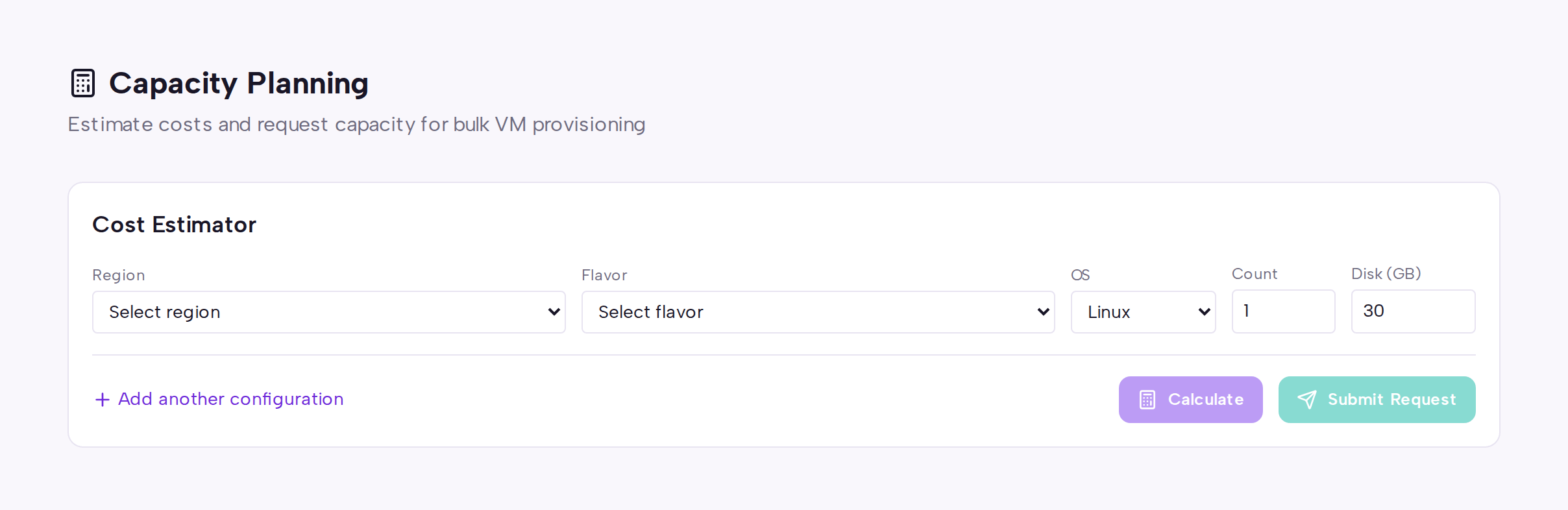
In the Cost Estimator, pick the region for your first configuration. The flavor list is loaded for that region, so only flavors actually offered there appear. Changing the region clears the flavor you had selected — pick the flavor again.
Choose the flavor. A flavor that has no price configured for your organization in that region appears as a disabled "— no price" option and cannot be selected; contact sales if you need it quoted.
Fill in the number of instances, the volume size, whether a floating IP is attached, and the billing cycle (hourly or monthly).
Select Add another configuration to add more rows — for example a batch of application nodes plus a batch of database nodes — and repeat the region and flavor selection for each row.
Select Calculate. Each row shows the per-instance cost and the row total, plus a combined total across all rows. GPU rows also show current stock availability.
If a row could not be estimated, the reason is shown under that row and the page warns you how many rows failed. Fix or remove those rows and calculate again — an unpriced row is excluded from the request total, so leaving it in means the total understates what you are asking for.
When the estimate looks right, select Submit Request. In the Submit Capacity Request dialog, give the request a name (the provisioned instances are named after it) and optionally a description explaining the purpose or the date you need it by.
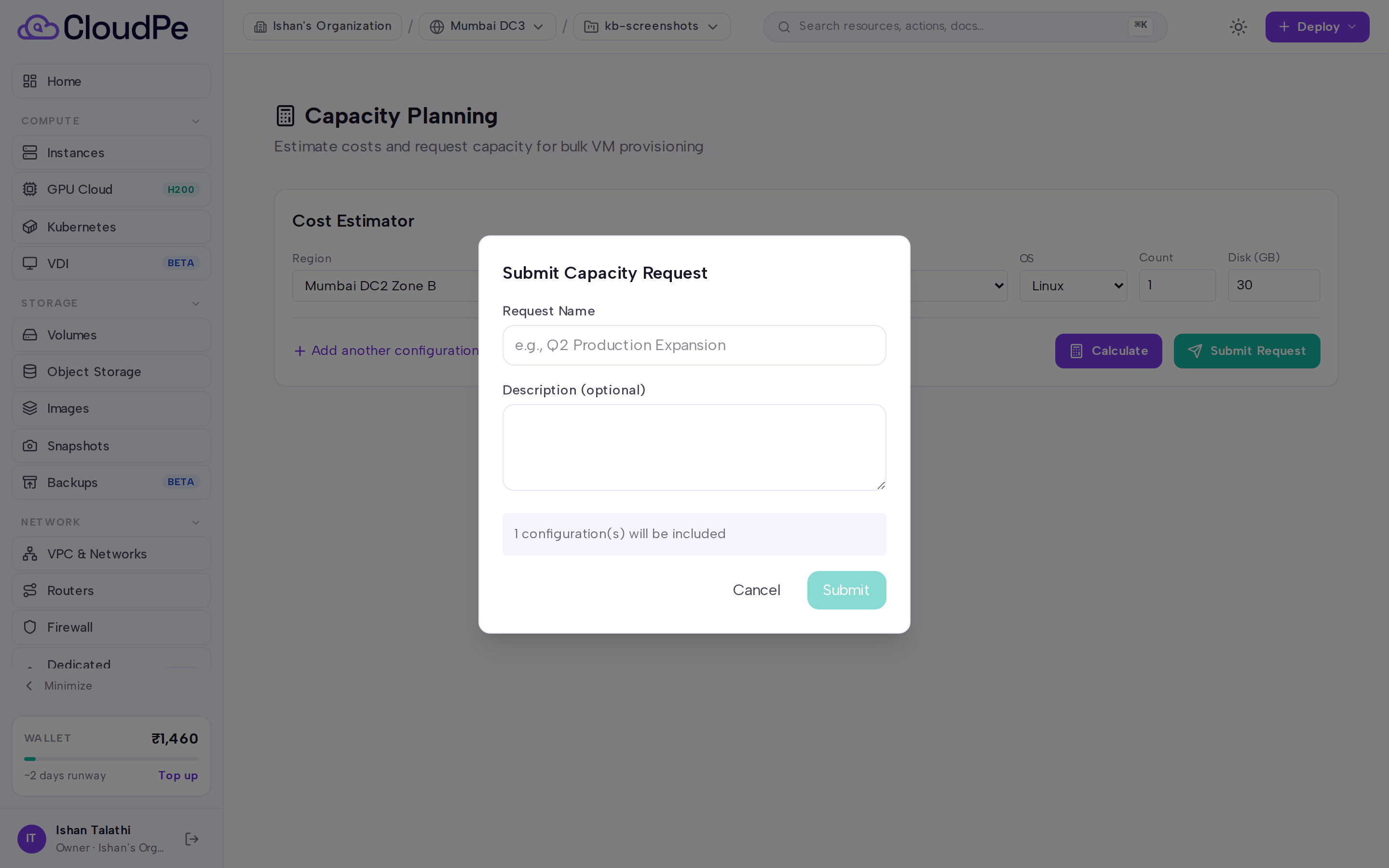
Submit. The request is recorded with its estimated total and moves to the submitted state, where the CloudPe team picks it up for review.
After review the request is either approved or rejected with a reason. On approval, provisioning is triggered by CloudPe and the instances are created in batches; you receive an email with the instance names, IP addresses and console access details when the batch is complete.
Limits & billing
- The estimator is a quote, not a charge. Nothing is billed until instances are actually provisioned from an approved request; from that point they bill like any other instance in the project.
- The monthly figure is derived from the same organization-scoped hourly rate you are quoted, multiplied by the monthly conversion factor. Because of this single price basis, a flavor that carries an explicit monthly price override can show a slightly different monthly figure here than on the flavor catalogue — this is a known, tracked difference.
- Only compute-priced flavors can be estimated. If no compute price resolves for a flavor and region pair, the row is refused rather than quoted from storage and IP cost alone.
- Storage in the estimate is priced from the volume size you enter; floating IPs are included in the per-instance total when you enable them. The breakdown is presented as one combined per-instance line, not split into separate compute, storage and network rows.
- Quotas still apply to the delivered resources. If the request would push a project past its quota, that is one of the things reviewed before approval.
FAQ
Does submitting a request reserve capacity? No. Submitting records your intent and the estimated cost. Capacity, credit standing and quota are all checked during review, and stock for GPU flavors can change in the meantime.
Can I cancel a request? Yes, while it is still in the submitted state. Once it has been approved and provisioning has started, contact support instead.
Why did my total change after I edited a row? Each row is estimated independently against your organization's pricing for the selected region. Changing the region, flavor, count or volume size re-prices that row and the overall total.
Some of my instances failed to provision — what happens? Bulk provisioning continues past a failed instance rather than aborting the whole batch. Failures are logged and the CloudPe team is notified so the remainder can be created manually.
Can I use this for a single instance? You can, but for one or two instances it is usually faster to create them directly from the Instances screen.