

Auto Scaling groups and policies
Overview
Auto Scaling allows you to dynamically adjust the capacity of virtual machine fleets in response to real-time workload demands and scheduled timetables. The Auto Scaling console manages dynamic capacity across three primary tabs: VM Groups (the collections of virtual machines and capacity boundaries), Policies (the metric-based or schedule-based scaling rules), and Events (the execution audit log of evaluated actions and pending sign-offs).
When traffic surges or resource utilization exceeds configured thresholds, Auto Scaling automatically scales out additional virtual machines. When demand subsides, it scales in surplus capacity to minimize unnecessary infrastructure spend.
Before you start
- You need the
vms:readpermission to view groups, policies, and scaling execution history. - Creating or editing VM groups, configuring scaling policies, and approving or cancelling scaling events require the
vms:managepermission. - Provision baseline instances before creating a VM group. See Creating and managing virtual machines.
- Scale-out operations provision standard billable instances subject to available project quotas and account wallet balances.
- If your workload distributes traffic across instances, connect your VM group behind a load balancer. See Load balancers.
Steps
Create a VM group
- In the sidebar, open Auto Scaling under COMPUTE.
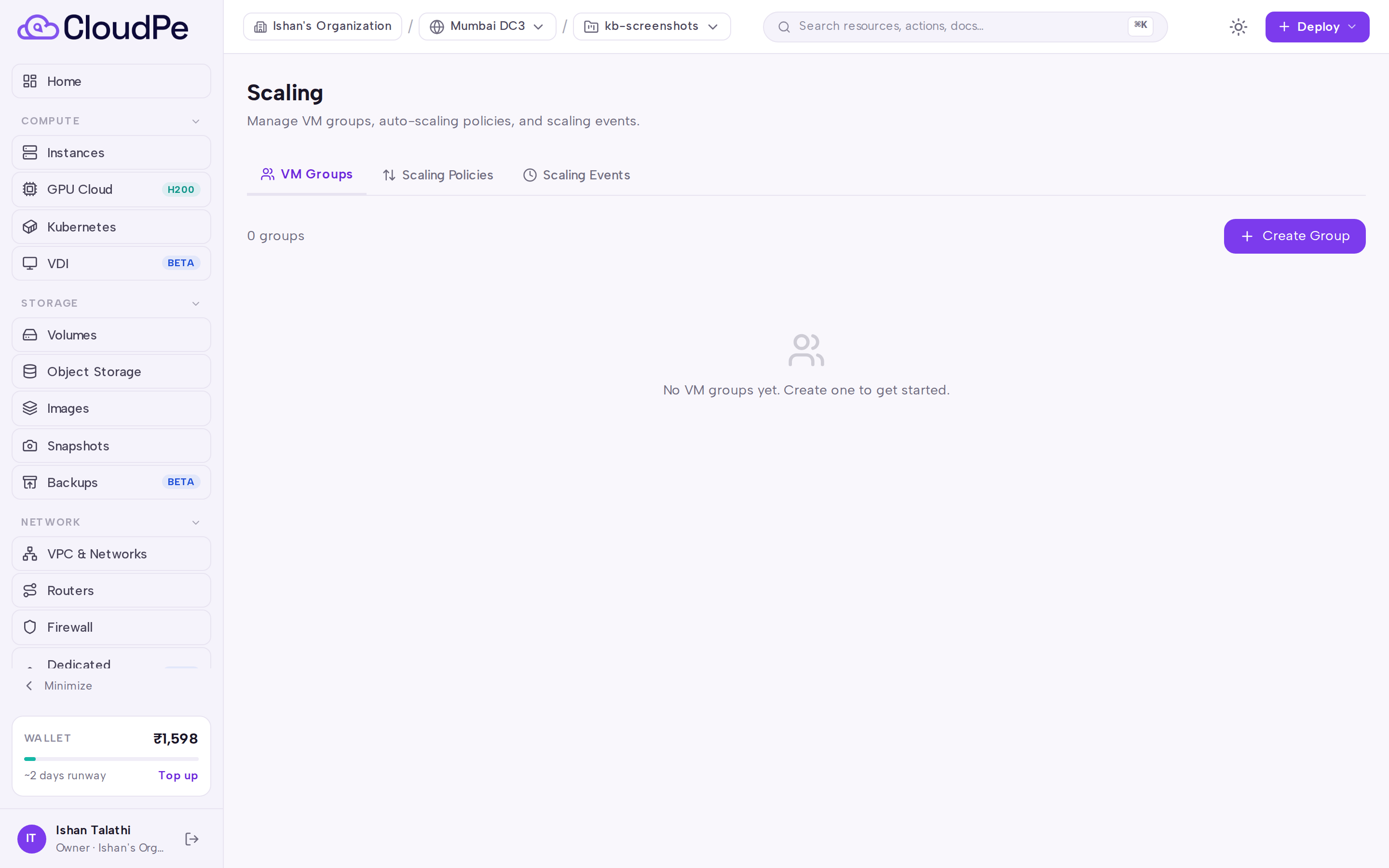
- On the VM Groups tab, select Create Group.
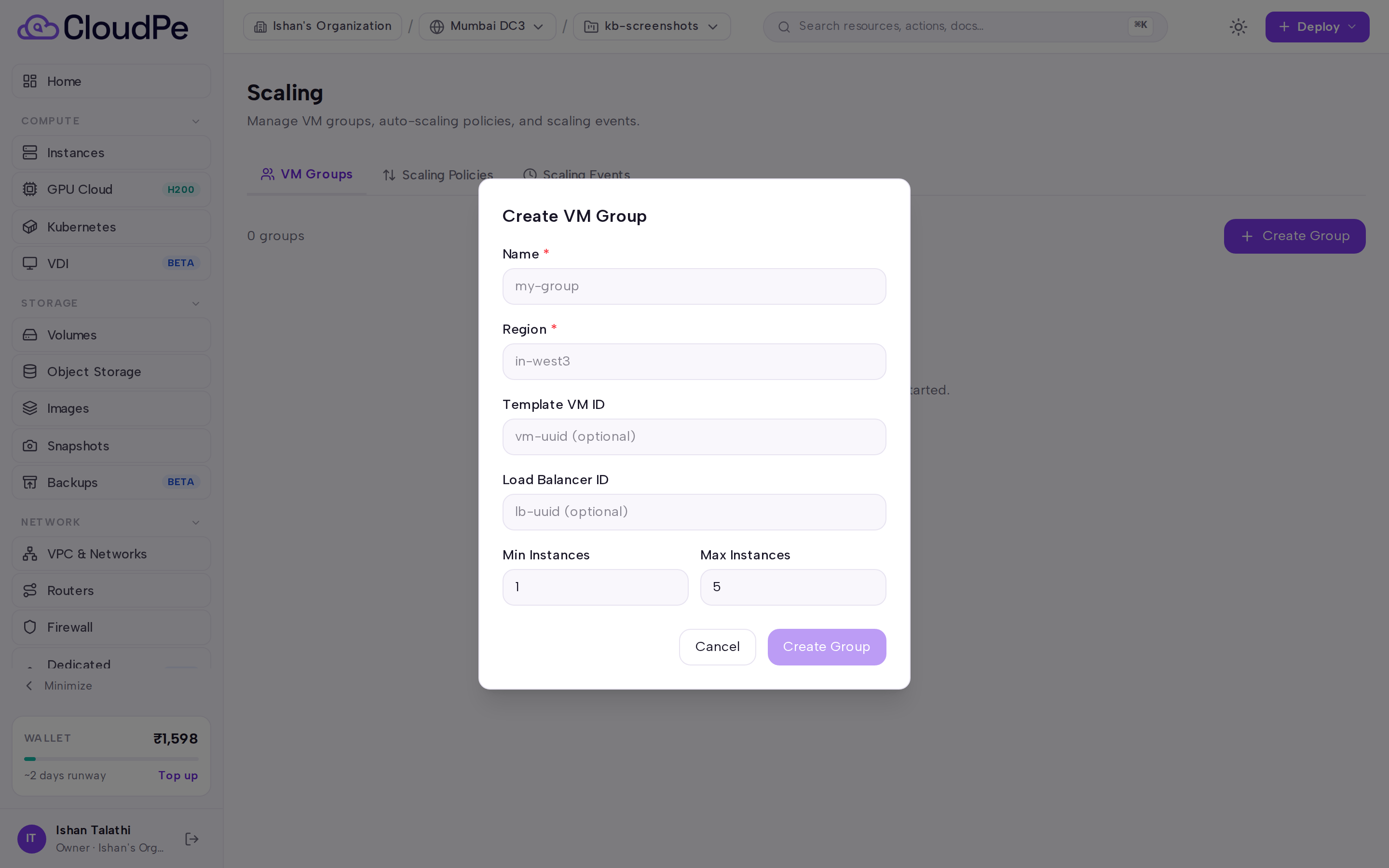
- In the Create VM Group modal, provide a descriptive group name, specify minimum and maximum instance count boundaries, and configure the default cooldown duration between scaling actions.
- Select the initial member virtual machines and save the group.
Define scaling policies
- Switch to the Policies tab and select Create Policy.
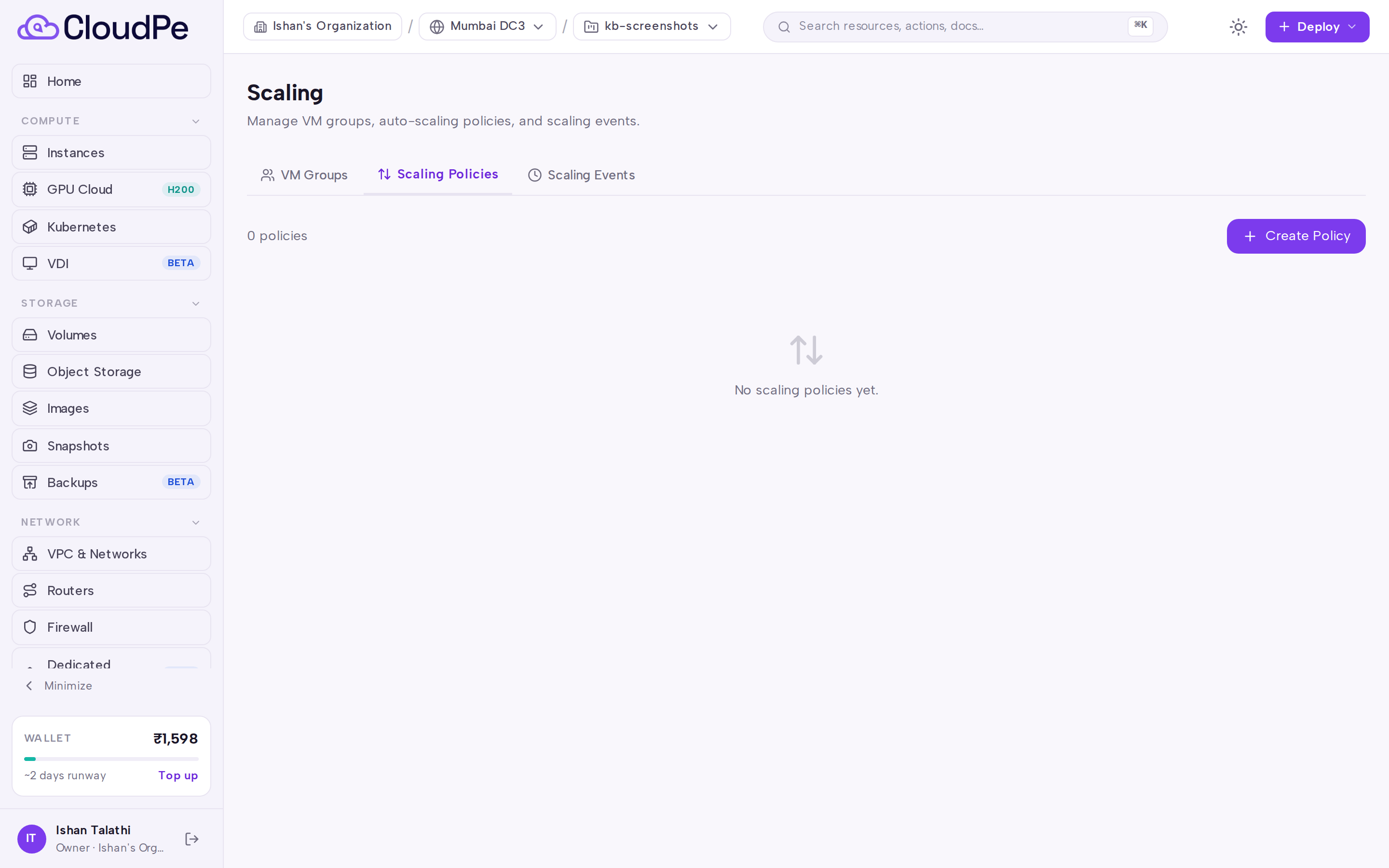
- In the policy wizard, select the target VM group and configure the policy parameters.
- Select the policy type:
- Horizontal scaling adjusts instance counts across a VM group.
- Vertical scaling scales a single VM flavor up or down.
- Scheduled scaling adjusts target instance counts on a recurring cron timetable.
- For horizontal and vertical policies, choose the scaling type:
- Simple threshold applies a fixed instance count or percentage step when a threshold is breached.
- Step adjustments applies tiered scaling adjustments across lower and upper metric breach ranges.
- Target tracking dynamically adjusts capacity to keep an evaluation metric near a specified target value.
- Select the evaluation metric (such as CPU Usage, Memory Usage, Disk Usage, CPU I/O Wait, or GPU metrics), operator, threshold value, and scaling direction (scale out, scale in, resize up, or resize down).
- Configure the sustained breach duration in seconds (duration_seconds, default 300 seconds; set to 0 to fire immediately on the first evaluation breach) and the cooldown delay (cooldown_seconds, default 300 seconds, minimum 60 seconds).
- Enable or disable manual approval (approval_required, default true). When enabled, scaling actions enter a pending state for operator review.
- For scheduled policies, define a five-field cron expression, target instance count, and timezone (default UTC).
- Save the policy.
Review scaling events
- Switch to the Events tab to monitor real-time evaluation logs and execution history.
- Select Refresh to load the latest evaluation entries.
- For policies configured with manual approval enabled, review pending events and select approve or cancel as needed.
- Open the VM detail page for any group member under Instances to verify its associated scaling group membership row.
API
Automate Auto Scaling configurations through the REST API.
| Method and path | Permission |
|---|---|
GET /api/v1/vm-groups |
vms:read |
POST /api/v1/vm-groups |
vms:manage |
GET /api/v1/vm-groups/{group_id} |
vms:read |
PATCH /api/v1/vm-groups/{group_id} |
vms:manage |
DELETE /api/v1/vm-groups/{group_id} |
vms:manage |
POST /api/v1/vm-groups/{group_id}/members |
vms:manage |
DELETE /api/v1/vm-groups/{group_id}/members/{vm_id} |
vms:manage |
GET /api/v1/vm-groups/by-vm/{vm_id} |
vms:read |
GET /api/v1/scaling-policies |
vms:read |
POST /api/v1/scaling-policies |
vms:manage |
GET /api/v1/scaling-policies/{policy_id} |
vms:read |
PATCH /api/v1/scaling-policies/{policy_id} |
vms:manage |
DELETE /api/v1/scaling-policies/{policy_id} |
vms:manage |
GET /api/v1/scaling-events |
vms:read |
GET /api/v1/scaling-events/{event_id} |
vms:read |
POST /api/v1/scaling-events/{event_id}/approve |
vms:manage |
POST /api/v1/scaling-events/{event_id}/cancel |
vms:manage |
List VM groups:
curl https://app.cloudpe.com/api/v1/vm-groups \
  -H "Authorization: Bearer <API_KEY>"
List scaling policies:
curl https://app.cloudpe.com/api/v1/scaling-policies \
  -H "Authorization: Bearer <API_KEY>"
Add a member VM to a VM group:
curl -X POST https://app.cloudpe.com/api/v1/vm-groups/<group_id>/members \
  -H "Authorization: Bearer <API_KEY>" \
  -H "Content-Type: application/json" \
  -d '{
        "vm_id": "<vm_id>",
        "role": "member"
      }'
Approve a pending scaling event:
curl -X POST https://app.cloudpe.com/api/v1/scaling-events/<event_id>/approve \
  -H "Authorization: Bearer <API_KEY>"
Cancel a pending scaling event:
curl -X POST https://app.cloudpe.com/api/v1/scaling-events/<event_id>/cancel \
  -H "Authorization: Bearer <API_KEY>"
Limits & billing
- Instances added during scale-out operations are standard virtual machines metered on compute flavor, attached storage, and public IP allocations.
- Scale-out activities respect project resource quotas and will not exceed maximum instance boundaries.
- Cooldown durations prevent rapid thrashing by enforcing a stabilization delay between consecutive scaling actions.
- If additional capacity is needed beyond current quotas, submit a quota expansion request. See Estimating costs and requesting capacity.
Troubleshooting
| Message | What it means | What to do |
|---|---|---|
Scaling policy not found. |
The specified policy identifier does not exist or has been deleted. | Refresh the Policies tab or call GET /api/v1/scaling-policies to retrieve valid identifiers. |
Scaling event not found. |
The requested scaling event identifier does not exist in the active organization. | Open the Events tab to verify available event records. |
VM group not found. |
The specified VM group identifier does not exist or has been deleted. | Refresh the VM Groups tab or call GET /api/v1/vm-groups to retrieve valid group identifiers. |
VM is not a member of this group. |
The specified virtual machine is not associated with this scaling group. | Verify the member virtual machine identifier or add it using POST /api/v1/vm-groups/{group_id}/members. |
VM or VM group not found. |
The requested VM or VM group could not be found in your organization scope. | Verify resource identifiers and confirm that the active organization is selected. |
FAQ
What happens if a scale-out event exceeds project quota? If a project reaches its quota limit, scale-out cannot provision additional instances and the failure is logged in the Events tab.
Can I configure both metric and scheduled policies on the same VM group? Yes. You can combine scheduled policies for planned recurring traffic spikes with metric policies for unexpected load fluctuations.