

Creating and using API keys
Overview
API keys let you call the CloudPE API from scripts, CI pipelines and third-party tools without a browser session. A key authenticates as you, so every request it makes is evaluated against your own permissions in the organization the key belongs to.
Keys are managed from API Keys in the dashboard, where you can create a key, review the keys you already have, and revoke a key you no longer need. Key strings are prefixed cpk_ and are sent in the Authorization header as a bearer token.
Before you start
- You must belong to an organization. Key creation is refused for a user with no organization membership.
- Your role must grant the relevant permission:
api_credentials:createto create a key,api_credentials:readto list keys, andapi_credentials:deleteto revoke one. Organization owners and platform admins always pass this check. - Decide which organization the key should belong to. A new key is stamped with your active organization — the one selected in the dashboard when you create the key.
- If you plan to restrict the key, have the target project IDs and scope names ready. Some scopes are reserved and cannot be requested on this surface.
Steps
In the dashboard sidebar, open ACCOUNT → API Keys.
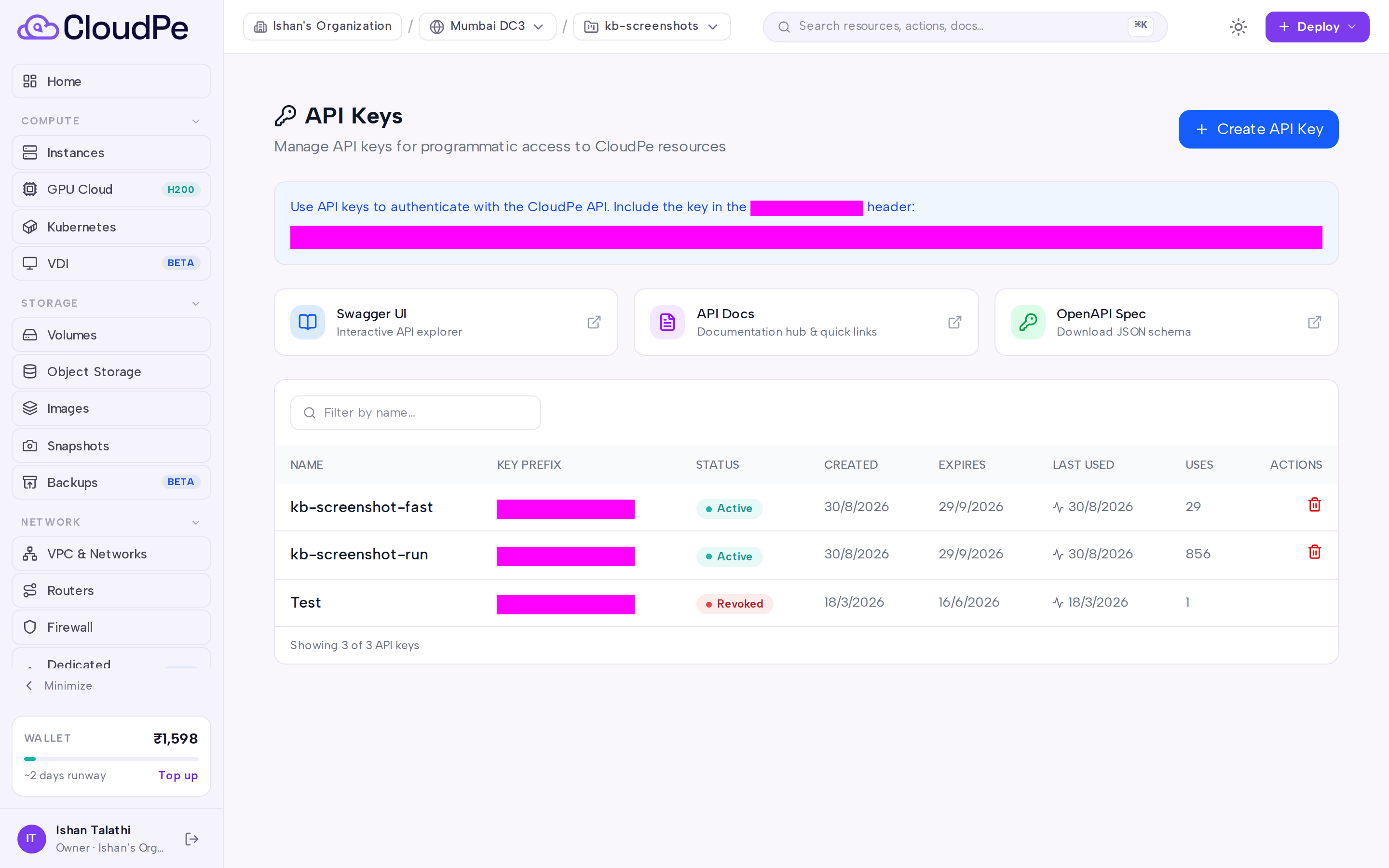
Click Create API Key. The Create API Key dialog opens.
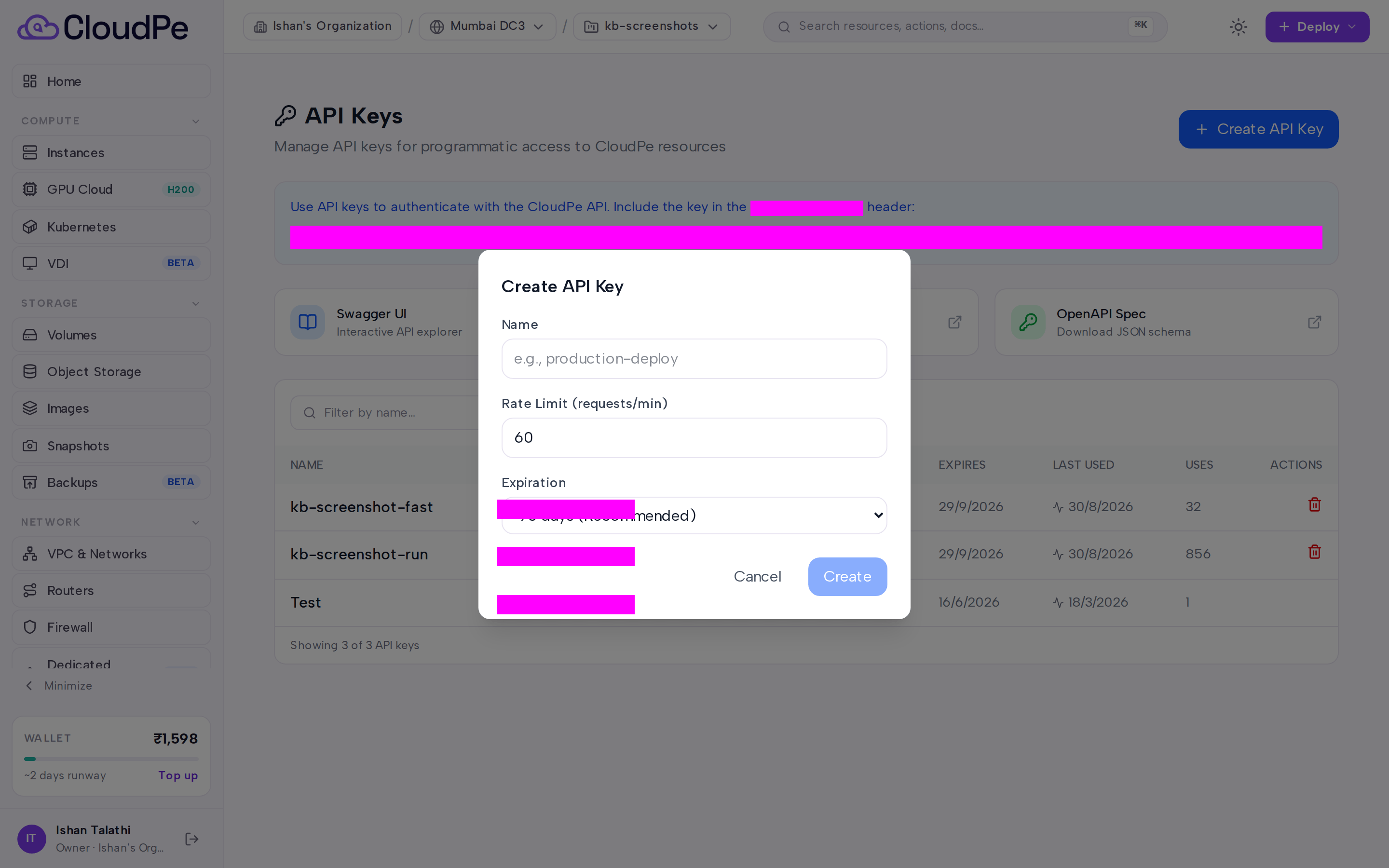
Enter a display name for the key. Use something that identifies the caller, for example the pipeline or host that will hold it.
Optionally set an expiry in days. Leave it empty for a key that does not expire.
Optionally restrict the key to specific projects and to specific scopes, and set the per-minute request limit for the key.
Confirm to create the key, or press Cancel to abandon the dialog. Store the returned key string in your secret manager — it is a credential equivalent to your own access.
Send the key on every API request as
Authorization: Bearer <API_KEY>.To explore the API surface, use Swagger UI, API Docs or OpenAPI Spec from the API Keys page.
When a key is no longer needed — or may have leaked — revoke it from the list. Revocation is immediate and cannot be undone.
API
All three operations are authenticated with a bearer token.
List your API keys:
curl -X GET https://app.cloudpe.com/api/v1/api-keys \
  -H "Authorization: Bearer <API_KEY>"
Create an API key:
curl -X POST https://app.cloudpe.com/api/v1/api-keys \
  -H "Authorization: Bearer <API_KEY>" \
  -H "Content-Type: application/json" \
  -d '{
        "name": "ci-deploy",
        "expires_in_days": null,
        "project_ids": null,
        "scopes": ["vms:read"]
      }'
Body fields: name (required), expires_in_days (null means no expiry), project_ids (restrict to specific projects), scopes (restrict to specific scopes), rate_limit_per_minute (requests per minute allowed for the key).
Revoke an API key:
curl -X DELETE https://app.cloudpe.com/api/v1/api-keys/<key_id> \
  -H "Authorization: Bearer <API_KEY>"
Limits & billing
- API keys are free. Anything a key provisions — instances, volumes, load balancers and so on — is billed to your organization exactly as if you had created it in the dashboard.
- Each user may hold a limited number of active keys at a time. If you hit the ceiling, revoke a key you no longer use before creating a new one.
- Each key carries its own requests-per-minute limit, set when the key is created and bounded by the values the API accepts.
- Keys are a separate credential class from interactive logins: they do not create a browser session and are not affected by the single-active-device session cap.
Troubleshooting
| Error | Cause | Fix |
|---|---|---|
You must belong to an organization to create API keys |
Your account is not a member of any organization. | Accept a pending invitation or create an organization, then retry. |
Permission denied: '{…}' required |
Your role does not grant the api_credentials permission named in the message. |
Ask an organization owner to grant the permission or to create the key for you. |
Maximum of 10 active API keys allowed. Revoke an existing key first. |
You have reached the active key ceiling. | Revoke an unused key from API Keys, then create the new one. |
These API-key scopes are reserved and cannot be requested here: {…} |
The request asked for a scope that cannot be minted on the customer key surface. | Remove the reserved scope from the request; reserved scopes are issued only through their own dedicated surface. |
API key not found |
The key_id does not exist, or it belongs to another user. |
List your keys and use an ID from that response. |
API key already revoked |
The key was already revoked by an earlier request. | No action needed — the credential is already inactive. |
FAQ
Can a key do more than my own account can?
No. A key authenticates as you, and your permissions are evaluated per organization at the time of the request. Restricting scopes and project_ids narrows a key further; it never widens it.
Do keys expire automatically?
Only if you set expires_in_days when creating them. Leaving it unset produces a key with no expiry, which stays valid until you revoke it.
What happens to a key if my password changes or I sign out everywhere? Interactive sessions are revoked, but API keys are a separate credential class and are unaffected. Revoke a key explicitly if you want to invalidate it.
Can I change a key's name, scopes or rate limit later? No. Create a replacement key with the settings you want, switch your caller over to it, then revoke the old one.
Which organization does a key act in? The organization that was active when you created the key. Create a separate key per organization if you automate more than one.